Turn a match screenshot into analysis
Drop in a still from a broadcast or your own footage. Táctica finds the players for you, then you mark up the shape, the space and the options — and export it for the team meeting.
Open Táctica — free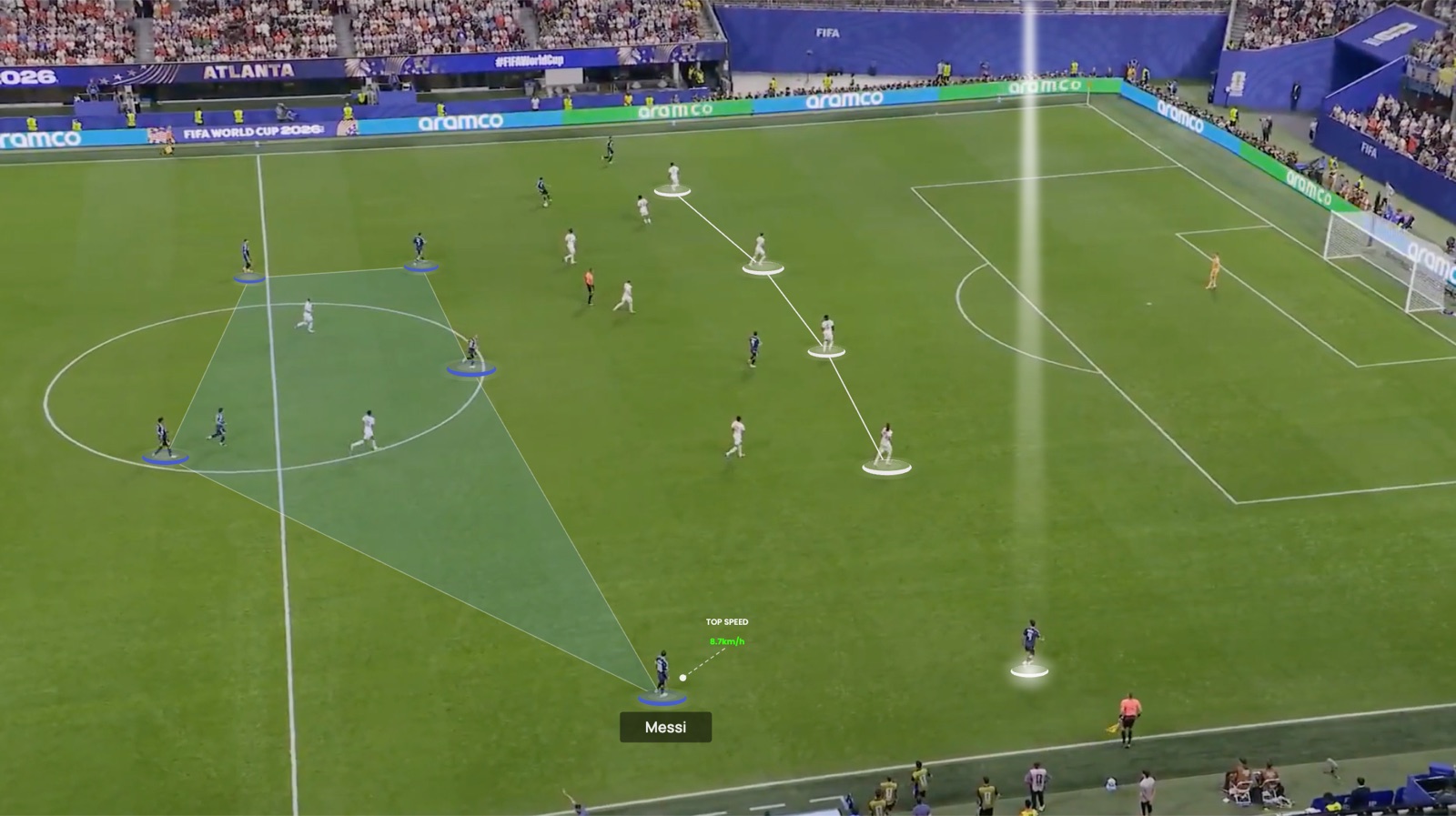
What you can do
Automatic player detection
Táctica spots players in the image in your browser and drops a marker on each one. Nothing is uploaded to a server to do it.
Mark the space
Rectangular, circular and free-form zones with perspective tilt so a shape sits flat on the pitch rather than floating over it.
Show the options
Passing arrows, vision cones, player links and unit shapes that follow the players when you move them.
Keep it readable
Spotlights to dim everything but the moment, zoom insets for a detail, and callouts with distances or notes.
Side-by-side board
Rebuild the same moment on a clean pitch next to the screenshot to show what should have happened.
Export for the meeting
High-resolution PNG or JPG, copy straight to the clipboard, or a public link.
Questions coaches ask
How does player detection work?
A small vision model runs inside your browser and marks the players it finds in the image. The screenshot never leaves your device for detection.
What images can I use?
Any still you have the right to use — a frame from your own match footage, a training photo, or a broadcast screenshot for private coaching use.
Can I annotate without detection?
Yes. Detection is a shortcut. You can place every marker, zone and arrow by hand, and adjust anything detection gets wrong.
Is it free?
Yes, image analysis and export are free, and you can try it without an account.
Start with an empty pitch
Free to use, nothing to install, and your work saves to your account when you sign in.
Open Táctica